
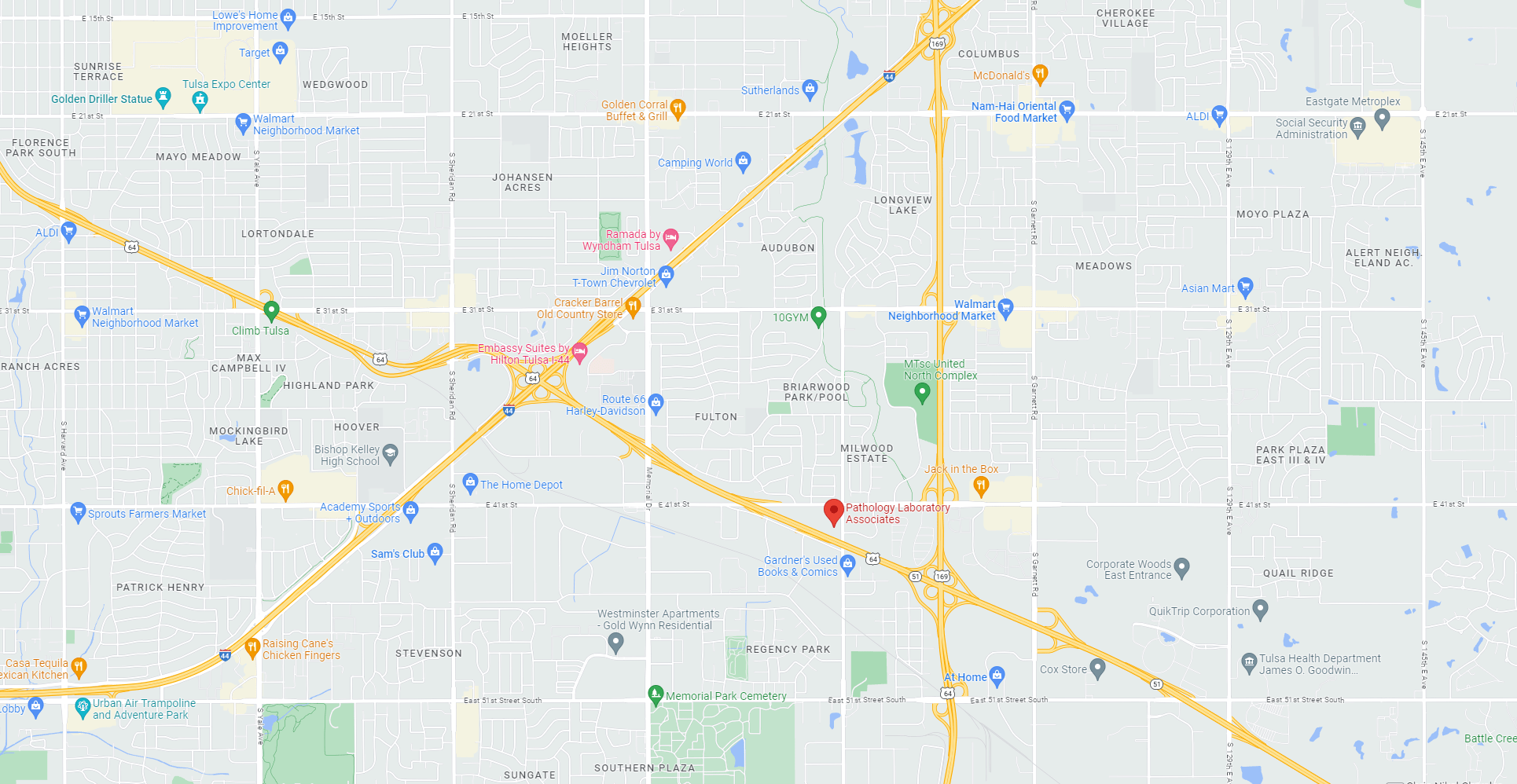
Headquarters and Core Laboratory

Corporate address:4142 S Mingo Road
Tulsa, OK 74146-3632

Phone: 918-417-6400
Toll Free: 1-833-PLA-PATH
Fax: 918-416-0506

Get In Touch With Us

We understand that access to our team is crucial to your daily operations, delivery of care and optimal use of laboratory testing. If you need to contact us, please use the form below and a member of our team will soon be in touch with you soon.

Quick Lookup

PLA Client Services:

833-PLA-PATH

Department Phone:
918-417-6400, Ext 1

Department Fax:
918-416-0506

Email:
clientservices@plapath.com

PLA Billing Department:

833-PLA-PATH

Department Phone:
833-903-2154 or 918-430-3588

Email:
billing@plapath.com

PLA Supplies Ordering:

833-PLA-PATH

Department Phone:
918-417-6400, Ext 3

Department Fax:
539-242-5773

Email:
supplies@plapath.com

Courier for Pick Up:

Department Phone:
918-417-6400, Ext 3

Experience 40+ Years of Pathology Services

Some of the Communities We Serve

Pathology Reinvented

chemlabs-slider-4-620x498.jpg

Ardmore - Oklahoma
Bartlesville - Oklahoma
Bixby - Oklahoma
Broken Arrow - Oklahoma
Edmond - Oklahoma
Enid - Oklahoma
Jenks - Oklahoma
Lawton - Oklahoma
Midwest City - Oklahoma
Moore - Oklahoma
Muskogee - Oklahoma
Norman - Oklahoma
Oklahoma City - Oklahoma
Owasso - Oklahoma
Ponca City - Oklahoma
Sapulpa - Oklahoma
Shawnee - Oklahoma
Stillwater - Oklahoma
Tulsa - Oklahoma
Yukon - Oklahoma
Coffeyville - Kansas
Fredonia - Kansas
Ft Scott - Kansas
Lawrence - Kansas
Neodesha - Kansas
Pittsburg - Kansas

Create An Account

LabWorks Login Directions

PLA recommends the use of Google Chrome with LabWorks.

To log on to LabWorks, you will need to disable your browser’s “Pop Up Blocker” feature for the website
https://rmllabworks.rmlonline.com. To do that, in Chrome:

  1. Click on the three dots in the upper right corner of Chrome to the right of the address bar, then click settings.
  2. In the settings menu, select the “Privacy and security” option on the left of the screen,
  3. then select the site settings option in the middle pane.
  4. In the site settings menu, scroll down to the “Pop-ups and redirects” menu and select it.
  5. From the Pop-ups and redirects menu, click add on the “Allowed to send pop-ups and redirects” line.
  6. In the “Add a site” menu that pops up, type https://rmllabworks.rmlonline.com in the site blank, and then click add.